Form protection
Enable Turnstile or reCAPTCHA where a form needs extra protection from automated submissions.
From the first submission to a calm, organised reply. ZoraForms gives you one view of forms, conversations and the data that led to them.
New submissions arrive in your account’s private inbox. Find the right conversation quickly, understand its status and export data when you need to continue working outside ZoraForms.
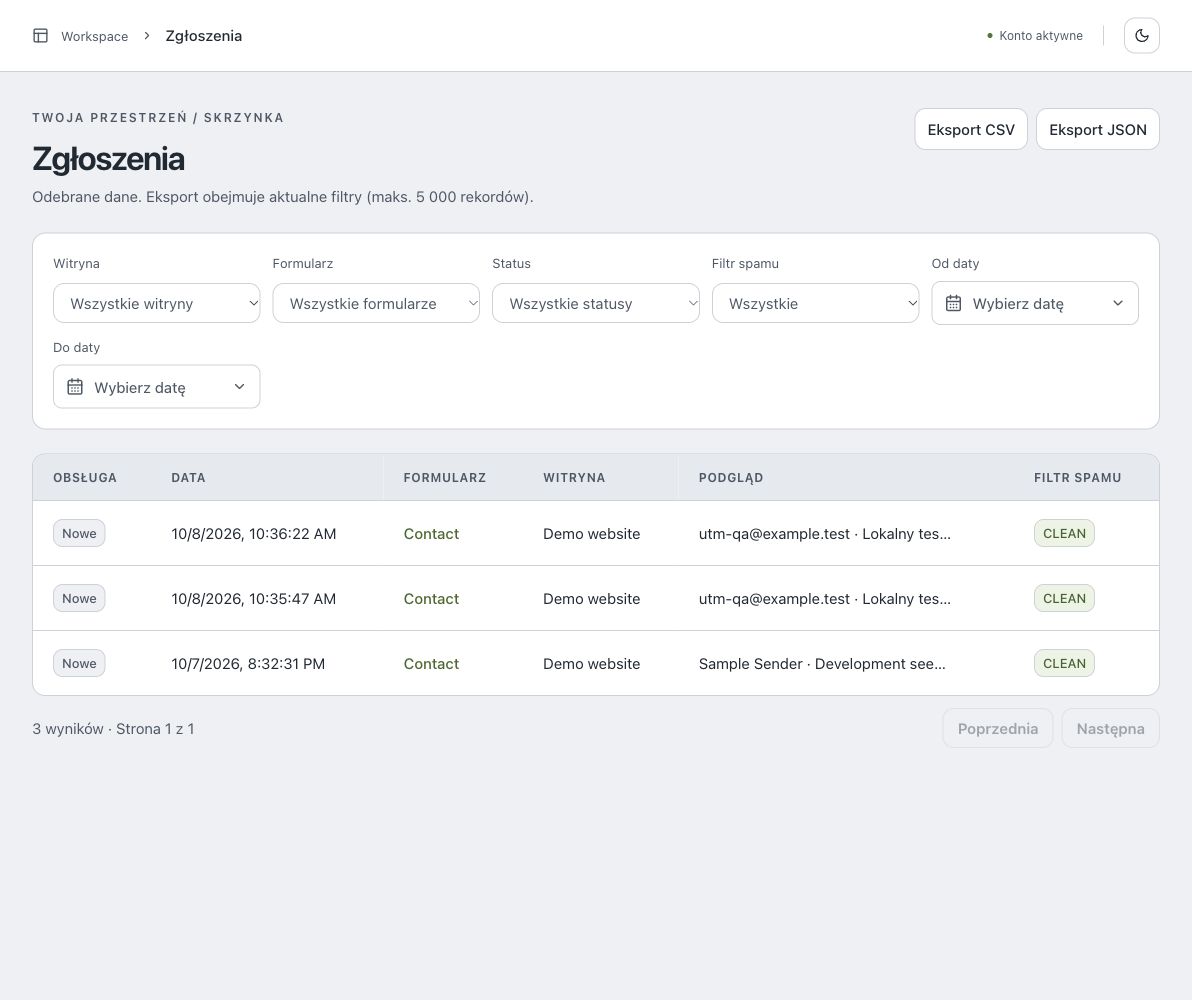 Open screenshot at full size
Open a submission to see its full content and conversation history, then reply from the dashboard once SMTP is configured. Useful campaign data stays close by without getting in the way of the message.
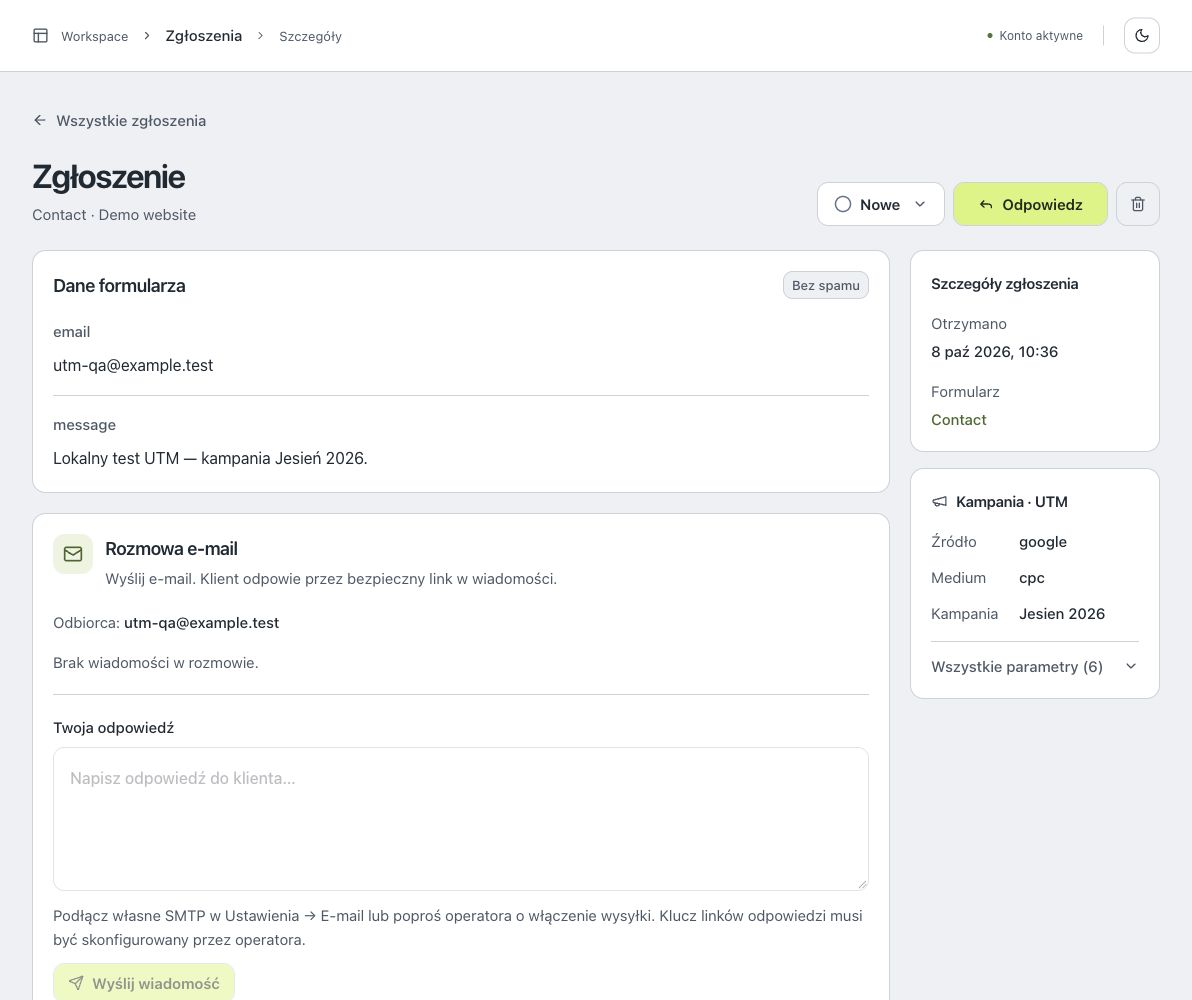 Open screenshot at full size
Organise websites and forms in the dashboard, set allowed domains and choose protection for each form. The integration stays straightforward with existing HTML too.
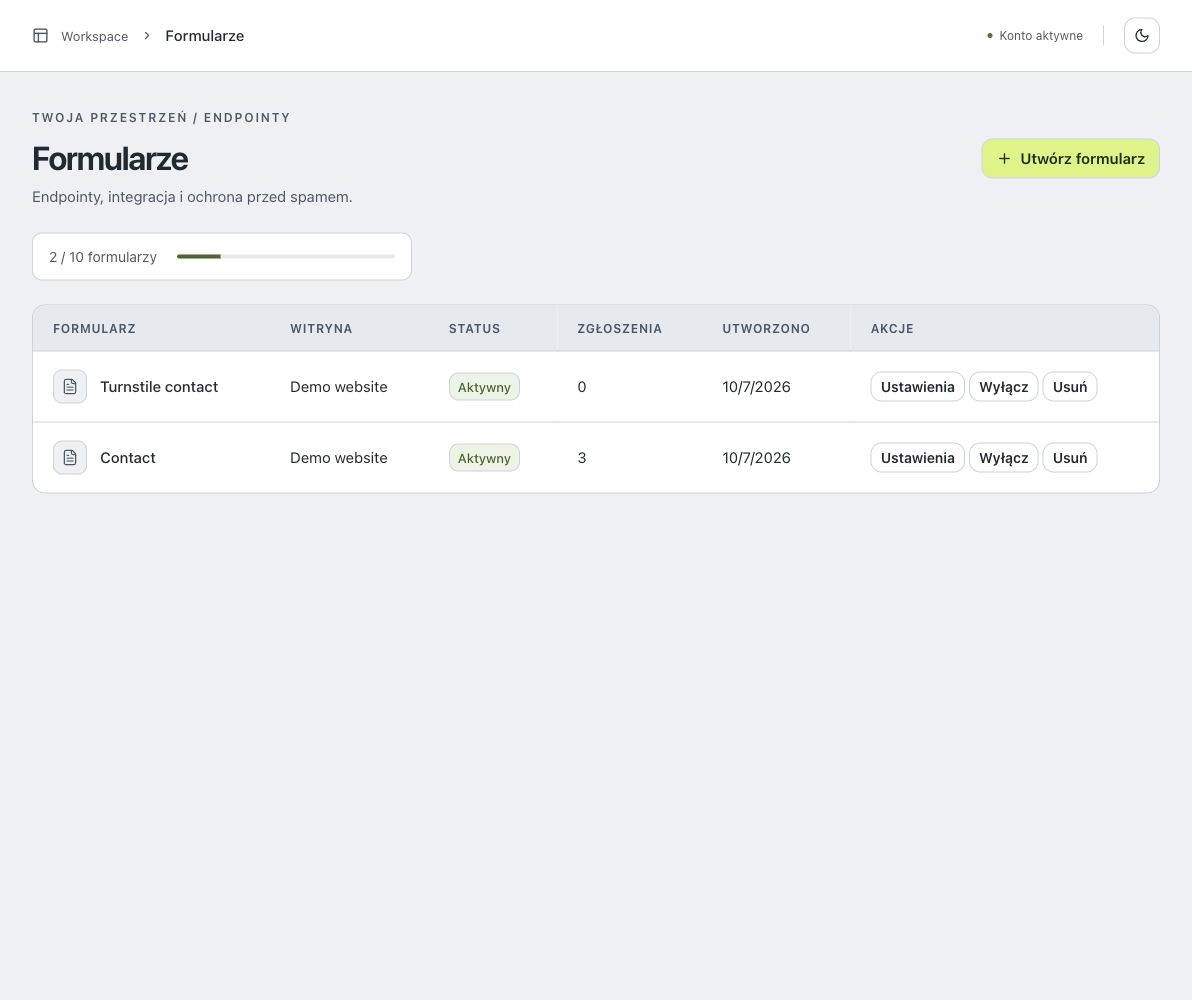 Open screenshot at full size
Create MCP tokens for tools such as Codex and Claude, then decide which operations they may use. It is a practical way to work with form data without sharing your whole account.
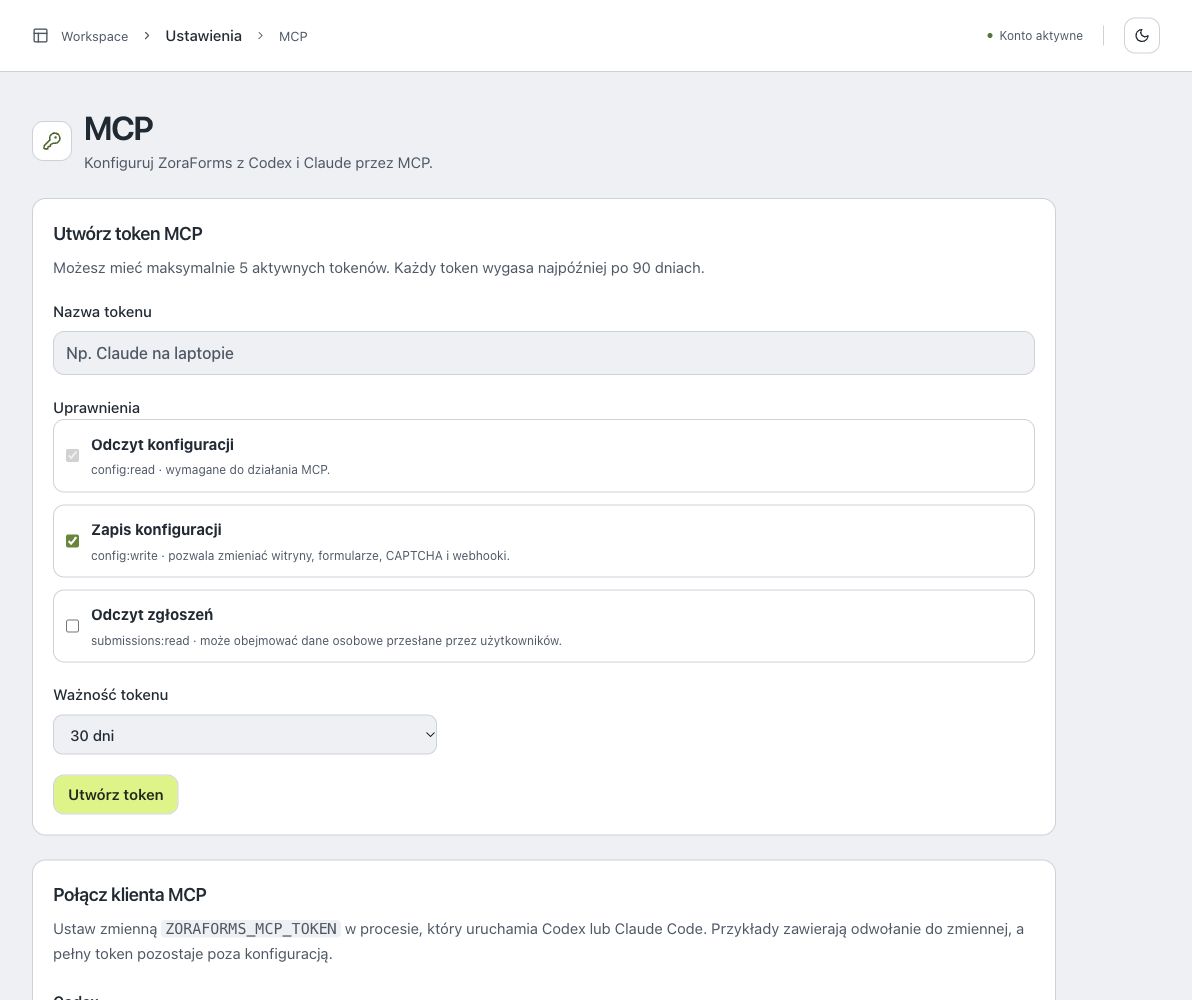 Open screenshot at full size
Enable Turnstile or reCAPTCHA where a form needs extra protection from automated submissions.
Send events to your own webhook. Custom SMTP sends replies; receiving email replies requires operator-configured IMAP.
Your plan sets submission limits and retention. Free includes 1 form. Accepting submissions on Free requires verifying your own domain with a DNS TXT record.
Compare the available plans or go to the integration documentation.